The tools covered here don't require timelines, keyframes, or any design background. They analyze audio, apply visual styles, and export finished video content with minimal input. Whether someone needs a quick animated waveform for a social clip or a full AI-generated visual journey for a music release, there's a tool built for that exact use case. These are music visualizers, not full music video editors, and each one is designed to handle the visual side automatically so the focus stays on the music rather than the production.
Here's a fast breakdown of where each tool fits best. Freebeat is the best all-around option for beginners, Videobolt leads on templates, Renderforest offers the fastest setup, Kaiber AI and Neural Frames excel at AI style generation, and Magic Music Visuals is the top pick for live visuals.

Quick Picks for No-Edit Music Visuals
For creators who want a direct answer before diving into comparisons, here's where each tool stands. Freebeat is the strongest overall pick for beginners who want fast, polished results with no learning curve. Videobolt is the best choice for template variety and music-specific aesthetics. Renderforest is the fastest to set up for a first project. Kaiber AI and Neural Frames are the go-to options for stylized, AI-generated music visuals. Magic Music Visuals is in a category of its own as the only tool built specifically for live performance.
It's worth clarifying upfront that all of these are music visualizers, not full music video editors. They generate audio-reactive visuals from an uploaded track rather than requiring any filming, scene editing, or post-production work. That distinction shapes what each tool can realistically deliver, and it's a useful frame to keep in mind throughout the comparison below.
What Makes a Tool Easy for Beginners
Not every "beginner-friendly" label holds up under scrutiny. For music visuals specifically, ease of use comes down to a handful of concrete features rather than a clean interface alone.
Template quality is the starting point. Strong customizable templates mean a creator can achieve a polished result without touching a single advanced setting. Paired with that, beat sync removes one of the most technically demanding steps by automatically aligning visual motion to the rhythm of a track. Tools that reduce setup friction through template-led workflows, automatic beat sync, and simple export choices set a useful standard for what beginner-friendly actually looks like in practice.
For non-editors, real-time audio analysis and a straightforward audio file upload process matter just as much. These features determine whether the tool does the heavy lifting or passes it back to the user. Free versus paid access also plays into ease. A tool that gates core features behind a paywall immediately adds friction. Much like the artists who built an iconic visual identity in music through consistency and recognizable style, the best beginner tools remove barriers so creators can focus on output.
Best Tools Compared by Beginner Use Case
Each tool in this section is evaluated on ease of use, output quality, and how well it fits specific beginner workflows. The goal isn't a feature-by-feature breakdown but a practical guide to which tool fits which situation.
Freebeat for the Fastest Start
Freebeat AI Music Visualizer is the most accessible entry point for creators who have never touched visual editing software. The workflow reduces to three steps: upload an audio file, choose a visual style, and export. There's no timeline to manage and no manual syncing required.
What makes it particularly well-suited for beginners is that its audio-reactive engine handles the technical decisions automatically. The visuals respond to the actual sound data in the track, which means the output feels intentional without any adjustment from the creator. For short-form clips, Freebeat produces publish-ready results faster than most alternatives.
Videobolt and Renderforest for Templates
Both Videobolt and Renderforest are built around high-quality templates, though they serve slightly different needs. Videobolt offers a deeper library of music-specific animated templates, making it the stronger pick for creators who want variety and a polished aesthetic for release content.
Renderforest, on the other hand, covers a broader range of visual formats and is often faster to set up for a first project. Its template system is straightforward, and the onboarding process requires almost no prior experience. Neither tool demands editing knowledge. The core workflow in both cases is selecting a template, uploading audio, and customizing colors or text if needed. For artists focused on consistent visual branding across releases, these two tools are worth comparing side by side before committing to one.
Kaiber AI and Neural Frames for Style
Kaiber AI and Neural Frames take a different approach. Both are AI-first tools that generate visuals from a combination of audio input and text prompts, which means the creative output can be far more stylized than template-based alternatives.
The trade-off is a slightly higher learning curve. Getting strong results from either tool requires some experimentation with prompts and style settings, which may take a session or two to get right. Creators drawn to elaborate stage-inspired artistry and immersive visual worlds will find both tools worth the extra effort. Kaiber AI tends to produce smoother, more cinematic results, while Neural Frames leans toward abstract and psychedelic aesthetics. Both are better suited to full music releases than quick social clips.
Magic Music Visuals for Live Performances
Magic Music Visuals occupies a separate category from the tools above. It's designed specifically for real-time visual performance rather than pre-rendered exports, making it the right choice for DJs, live musicians, and performers who need visuals that respond to a live audio signal.
For creators focused on short-form clips or music releases, it's likely more than needed. However, for live performances, it offers real-time audio-reactive control that none of the other tools in this comparison were built to handle.

Exports That Are Ready for Real Platforms
A tool can look impressive in a demo and still fall short the moment it's time to actually publish. For creators without editing skills, export quality isn't just a technical detail. It directly determines whether a finished visual is usable or needs further work before it goes live.
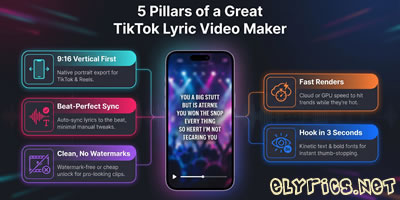
Platform formatting is where many tools create unexpected friction. YouTube requires 16:9 widescreen, TikTok and Instagram Reels favor 9:16 vertical, and Spotify Canvas has its own specific aspect ratio and duration constraints. A tool that outputs audio-reactive visuals in the wrong format forces creators to find a separate solution, which defeats the purpose of using a beginner-friendly tool in the first place.
Export presets solve this problem cleanly. When a tool offers pre-configured settings for each major platform, the creator selects the destination and the tool handles the rest, with no manual resizing and no guesswork about file types. File quality and duration limits also factor into release-readiness. A music visualizer that caps exports at low resolution or restricts clip length may work for short-form clips but won't hold up for full-track releases. The strongest tools in this comparison support high-resolution exports with customizable templates that adapt to different platform needs without requiring additional editing steps.
Are Music Visualizers the Same as Music Videos?
These two terms are often used interchangeably, but they describe quite different things. A music video typically involves scene planning, storytelling, footage editing, and post-production work. A music visualizer, by contrast, generates audio-reactive visuals directly from a track, with no filming or timeline editing involved.
The distinction matters when choosing a tool. For artists releasing singles on streaming platforms, sharing clips on social media, or adding visual context to a track, a music visualizer is often more than enough. The output is polished, platform-ready, and produced in a fraction of the time a traditional music video would take. Where a full music video adds unique value is in narrative storytelling. For straightforward release promotion, audio-reactive visuals cover the need effectively.
Which Tool Should You Choose
The right pick depends almost entirely on what the creator needs from their visuals. For pure speed and zero learning curve, Freebeat handles the full process automatically. Videobolt suits artists who want polished, music-specific templates, while Renderforest works well for anyone building their first project quickly.
Kaiber AI and Neural Frames are better fits for creators who want stylized, AI-generated aesthetics and are willing to spend a session refining prompts to get there. Magic Music Visuals stands apart as the only option built for live performance rather than exports. With market research data showing growing demand in this space, the category is only expanding. The clearest decision frame is this: start with the format you need, then match the tool to it.